AI-Native Meetings and Video Calls
A meeting used to be a place. Then it was a URL. The next thing it becomes is the first interface where the AI sits across from you, not next to you. A piece on what changes when AI stops being a notetaker and becomes a participant in the loop.
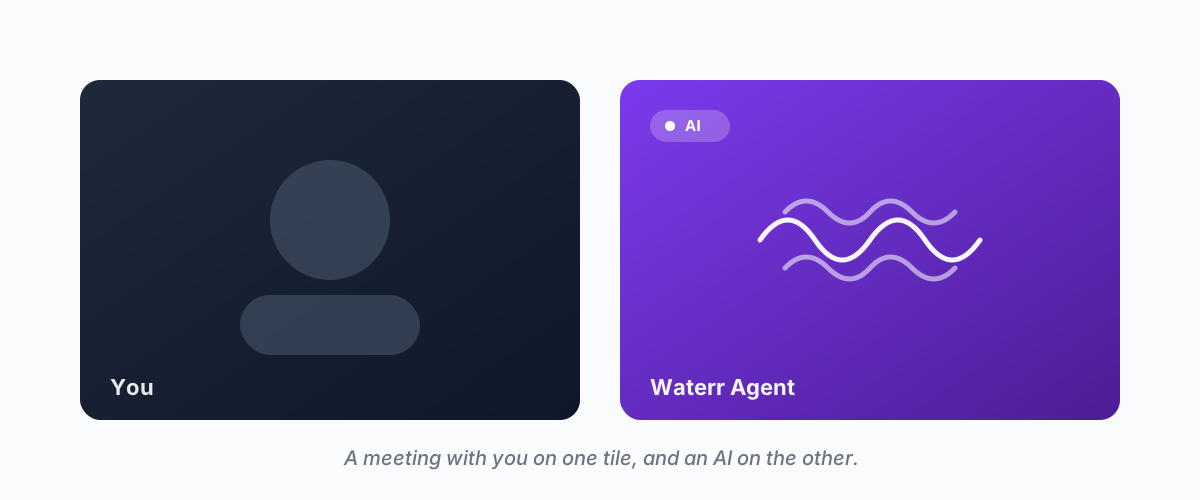
A short note on where the meeting layer is going, written for people who sit through too many calls and have started to wonder if the format is the problem.
The first time you watch an AI take a meeting end-to-end — open the call, introduce itself, ask the candidate three follow-ups, push back gently on a vague answer, close the loop — you notice you've been holding your breath. Not because the AI was perfect. Because something about the format had shifted. The thing you used to have to be in was now something you could send someone to. The someone happened to be software.
That is the practical line between an AI meeting tool and an AI-native one. Everyone has seen the first. The second is still rare.
This is a note on what the second one actually is — what changes when the AI stops being a guest with a microphone and becomes a participant in the loop. It is not a product pitch. It is the shape of an idea we are watching land in real time.
A short history of who the call was for
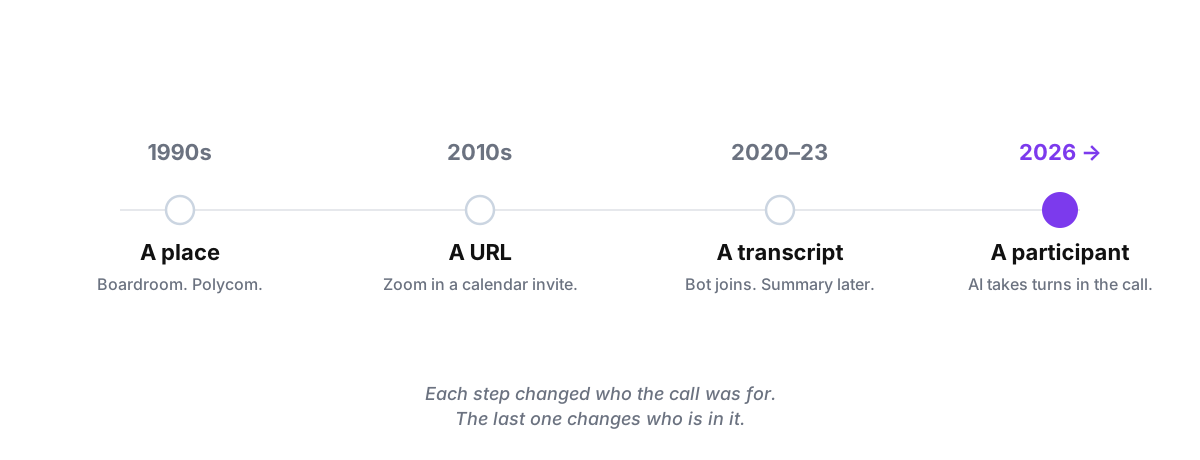
In the 1990s, a video call was a place. A room with a Polycom in the middle, a dedicated ISDN line, and an IT person to dial the other office. Video was infrastructure. The call was for the executives, because nobody else could justify the codec.
In the 2010s, Zoom turned the call into a URL. The infrastructure dissolved. A meeting could be summoned with a link in a calendar invite. The call was for anyone — sales, customer success, design reviews, weekly standups, your therapist, your mother. The format spread because the friction collapsed.
In the early 2020s, the AI showed up. Otter, Fathom, Read, Granola, Fireflies, Tactiq. They were genuinely useful and they all did the same job — transcribe, summarise, send to Slack. The AI was a tape recorder with a vocabulary.
Each step changed who the call was for. The next step changes who is in it. That is the shift.
What "native" means when the word is on every landing page
The word "native" has been emptied out by marketing. "Cloud-native" and "mobile-native" and "AI-native" all collapse into the same vague meaning — the founders thought about it from the start. That definition is too loose to be useful. Here is a sharper one:
A meeting platform is AI-native if removing the AI breaks the product, not the experience.
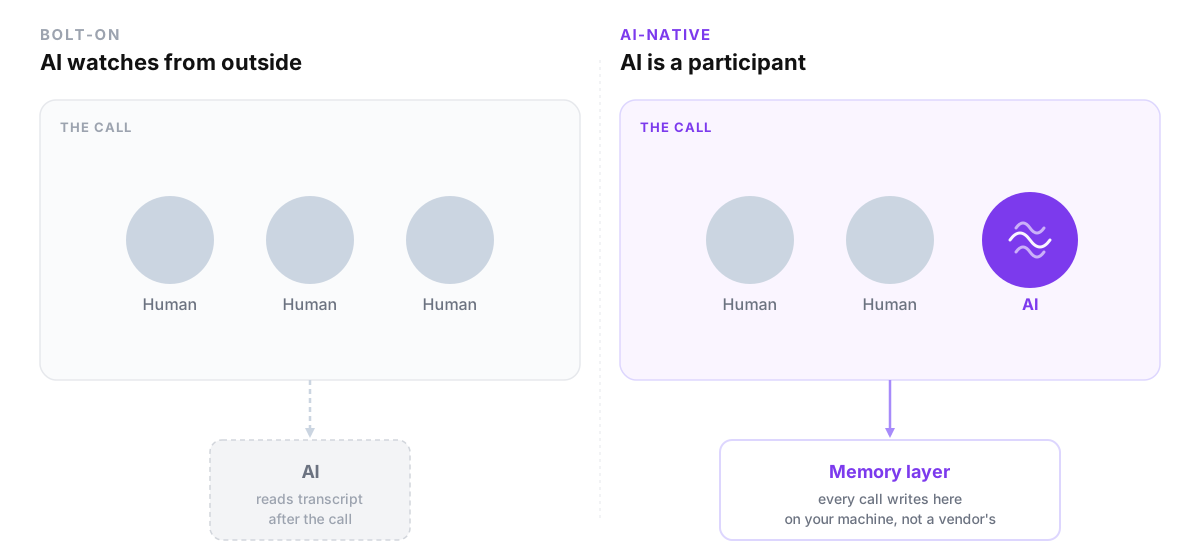
A notetaker is bolted on if removing the AI just turns the product back into a Zoom call. The Zoom call still works. You just lose the summary email.
An AI-native platform is one where the AI is in the loop. Pull it out and the call does not function — because the call was designed around the AI being there. The AI takes turns. The AI sees the screen. The AI decides who is owed the follow-up. There is no fallback to just human, because the format assumed two-plus-one from the beginning.
Three things change when you build that way.
The AI can speak. That sounds trivial. It is not. Sub-second turn-taking is the difference between a conversation and a checkpoint. If the AI's reply lands 1,800 milliseconds after you finish your sentence, the human on the other end stops talking to it and starts narrating for it. The latency budget for an AI in a call is somewhere under 800ms round-trip — speech-in, model, speech-out — and most of the AI stack you can buy today was never designed for that.
The AI can see. When the other participant shares their screen, a bolt-on AI sees a video stream. An AI-native one sees structured data — DOM, document, slide, frame — because the platform routed the screen through a different path than the transcript. The difference is the difference between "I can describe what was shown" and "I can answer questions about line 47 of the spreadsheet that just flashed by."
The AI has memory. The AI in Tuesday's call must know what was promised on Friday. Not because someone uploaded a transcript — because the memory layer is the same layer, and every call writes to it. This is the part that is almost always missing in the bolt-on world: each tool has its own database, its own search, its own summary. The AI in your 2pm cannot reach the AI from your 11am. So it does not actually remember anything. It re-reads.
The bandwidth argument nobody wants to have
Here is the part that, once you see it, you cannot unsee.
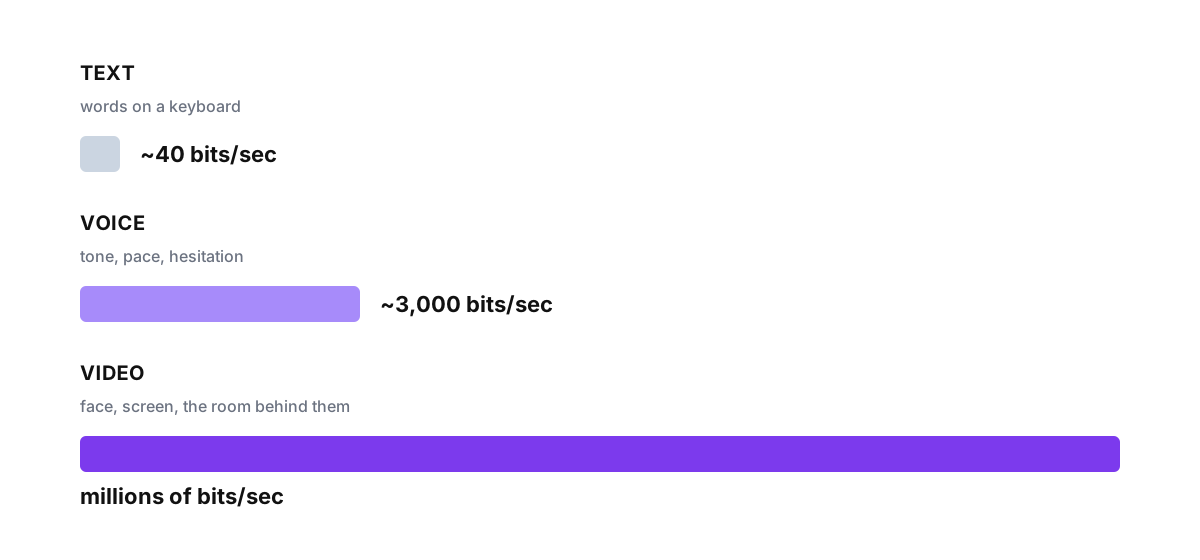
Text to AI is roughly forty bits per second. The cap is your typing speed. That is what every chatbot interface — ChatGPT, Claude, Copilot — runs at. It is the world we built for AI for the last three years.
Voice to AI is roughly three thousand bits per second. Tone, hesitation, pace, the breath before someone says "sure, that works" when they mean "I'm not sure that works." Voice carries the things a transcript loses.
Video to AI is millions of bits per second. Face. Posture. The slide deck. The line of code on the screen. The room in the background that tells you the candidate is interviewing from their car because they did not want their current manager to see them block off the calendar.
Bolt-on AI tools throw away most of this. They reduce the call to a transcript and then read the transcript. That is a spectacular compression loss. It is also why the summaries always feel slightly wrong — they are reconstructions of the verbal layer from text, with everything that was not said as text quietly dropped.
An AI-native meeting platform does not throw the rest away. The model sees the screen as well as hears the words. That is what makes asking "what is wrong with this dashboard?" mid-call possible. The AI is not reading a description of the dashboard. It is looking at the dashboard.
The use cases that did not exist before
Once the AI is a participant rather than an observer, things become possible that were not on the menu before.
Delegating the meeting entirely. The link in your booking page goes to the AI. The candidate or customer or vendor on the other end is on a real video call — they just happen to be talking to your AI. The conversation is real-time. The follow-up questions are real. The structured summary lands in your inbox before they have closed their tab. This is not "the AI assists you on the call." This is "the AI takes the call."
Running parallel meetings. When the meeting takes itself, you stop being the bottleneck. Twenty user research interviews this week. Forty candidate screens. Customer onboarding calls that happen during the timezones you sleep in. The throughput of qualitative work — the kind that historically required a human in a chair — moves from one-per-hour to whatever your scheduling page can hold.
An AI with a goal in the room. Bolt-on AI has no goal. It is a recorder. An AI-native participant has the same brief any human in the call would — qualify this lead, understand why they churned, teach this concept and check that the candidate got it. The difference between transcribing and pursuing is the difference between a stenographer and an interviewer.
A follow-up that writes itself before the call ends. The AI knows what was decided in the last seven calls with this customer. So when something on this call contradicts something on the last one, it surfaces in real time — not in the email tomorrow morning, after both parties have moved on.
The hard problems nobody talks about
It would be dishonest to pretend any of this is easy. It is not. The reason AI-native meetings have not arrived all at once is that there are four problems underneath that are genuinely hard, and they do not show up in product demos.
The latency budget. A meeting-grade AI loop — microphone in, speech-to-text, model, text-to-speech, audio out — has roughly 800 milliseconds before the human on the other side starts to feel they are talking to a delayed satellite link. That is a brutal budget. Most foundation-model endpoints eat 300 of those just to first token, before you have shipped a single word.
Memory continuity. A meeting layer that remembers is a memory layer that has to survive model upgrades, vendor changes, user device swaps. Memory cannot live inside any single model — it has to be its own substrate. Otherwise moving from one LLM to another wipes your meetings, and the lock-in is severe.
Consent. The human on the other side of the call needs to know they are talking to an AI. There is no version of this that is okay to hide. The product question is not "can we make it pass as human" — it is "how do we disclose this in a way that does not kill the conversation." That is a design problem, not a model problem.
Sovereignty. Your meetings are some of the most sensitive data you produce. A standard SaaS meeting tool sends them to a foundation-model lab via a vendor's database. The right architecture inverts that — the data assembles on your machine, identifiers are masked before it leaves, and the model sees only the redacted slice. Sovereignty is not a privacy nicety. It is the difference between an AI you can trust with the conversation and one you cannot.
What this changes about how teams operate
The pop version of this story is "AI will mean fewer meetings." We do not think that is what happens.
What happens is more meetings, with fewer humans in them.
Customer interviews go from a quarterly research sprint to a continuous loop. Sales discovery happens before the AE ever joins the call. Onboarding becomes synchronous-looking and asynchronous-actually — the new hire is in a real conversation, just not one their manager had to show up for. The format of the meeting persists, because the format works. The thing that shifts is who shows up.
The phrase we have started using internally is — the meeting still happens. You just do not have to be there for it. That is the unlock. The meeting is the unit of decision-making in most modern companies. If you can move decision-making faster without dropping context, you compound. If you keep dropping context to save time, you do not.
What we are watching
We are at the very front of this. Nobody has built it cleanly yet. The notetakers have a four-year head start on summarisation and are still adding voice-agent features as bolt-ons. The video platforms have the call infrastructure and are still figuring out how to put an AI participant inside it. The voice-agent companies have the latency and are still figuring out how the AI gets memory between calls.
The product question, three years from now, will not be "does your meeting tool have AI." That question will sound the way "does your phone have a camera" sounds in 2026. The product question will be — who shows up to the call, and what does the AI in the call actually know.
The shape of an AI-native meeting is what that question is starting to answer.
*This is a piece in our build-log series. If you want to follow the construction in public, more notes live on the blog. The idea is the point of this post, not the product.*